How 42Hz gets from a reading to a finished job

42Hz reads your equipment, works out each unit’s normal, explains faults in plain English and plans the fix. It does not write to your equipment.
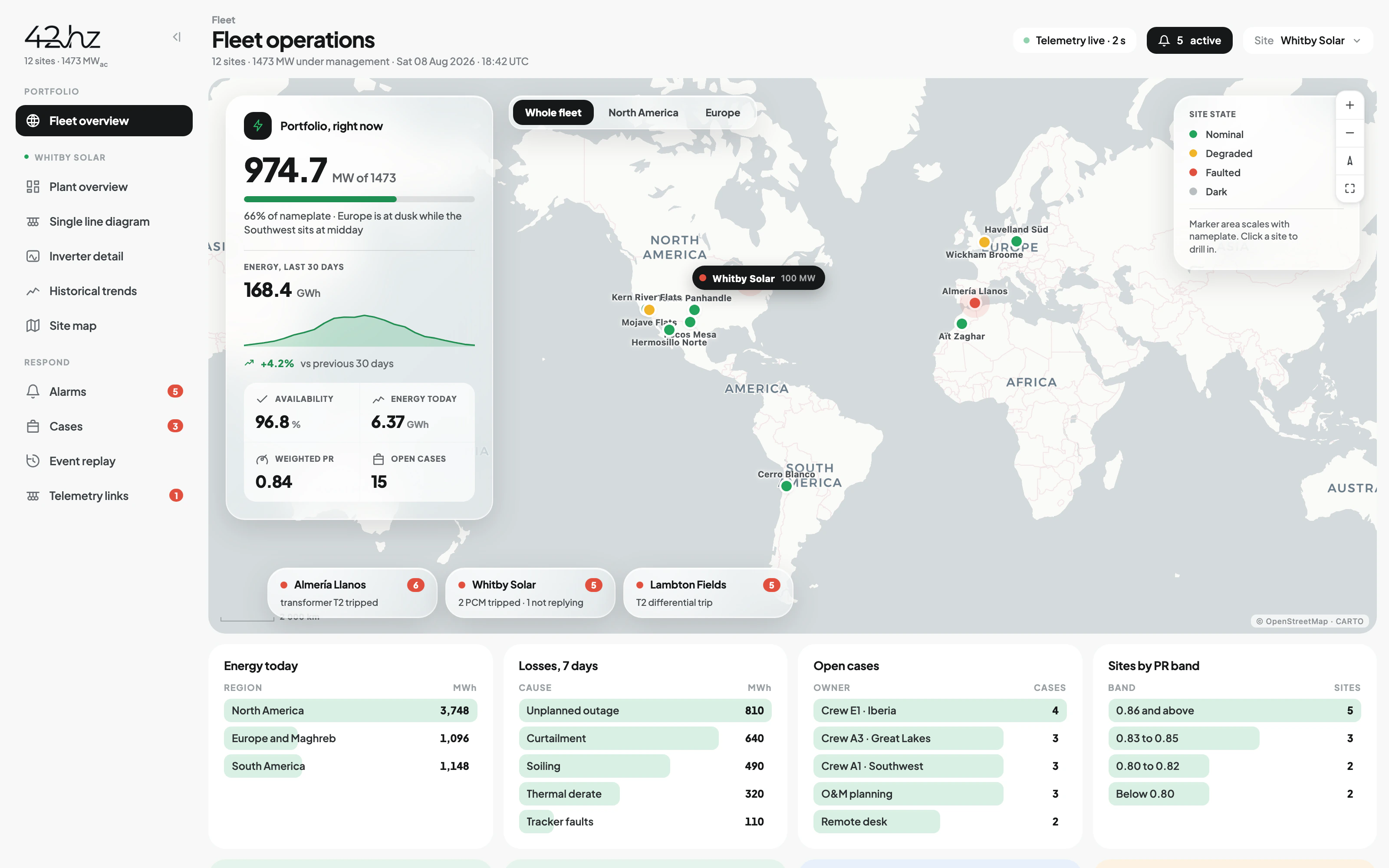
An operations screen: twelve sites on a world map colored by state, portfolio output against nameplate, the week’s losses broken down by cause, crews and their dispatch, and today’s energy at risk priced in both megawatt-hours and revenue

Technology partners

NVIDIA Inception ProgramFortinetAmazon Web Services

It finds the fault, gets it fixed and shows what it cost

Most platforms stop at the alarm. The cost comes after: who goes, with which part, and what the month ends up costing.

01Monitoring

See it forming.

Read every asset, know each one’s normal, and catch the failures a threshold cannot see.

  • Reads the equipment already installed
  • A baseline per unit, from its own history
  • Drift, peer difference and silence
02Maintenance & dispatch

Get it closed.

Turn thousands of alarms into a short ranked list, put a human on the ones that matter, and send the truck out already knowing the answer.

  • Cases ranked by cost
  • It phones the on-call until someone owns it
  • The truck leaves knowing the answer
03Portfolio & cost

Put a number on it.

Find underperforming assets early. See what each one costs to run. Replace on real wear, so equipment lasts longer.

  • Underperformance found early, then diagnosed
  • Asset valuation from operating history
  • OPEX planning and budgets on measured numbers

What it connects to, and what it guarantees.

Reads what exists

Relays, panels, RTUs, historians, meters, inverters, drives. Any vendor, any age.

Works beside SCADA

Reads alongside what you run, and covers the sites it never reached.

Silence detection

Flags a point that has stopped reporting. Often the fault is no value at all.

Read-only always

No control writes, ever. The architecture enforces it.

Every site on one screen

Every site and asset ranked by what needs you first this morning.

The full record

Every reading and event, timestamped and scrollable to any night.

SLA evidence

Response times and acknowledgments are logged and exportable.

No new sensors

No rewiring and no capital project. It reads what the station already sends.

Built-in historian

42Hz keeps its own record from day one. You do not need one.
01Monitoring

Catch the fault while it is still a small job.

42Hz builds a baseline from each asset's own history. Two transformers under the same load behave differently, and both are fine. When one changes, that is the signal.
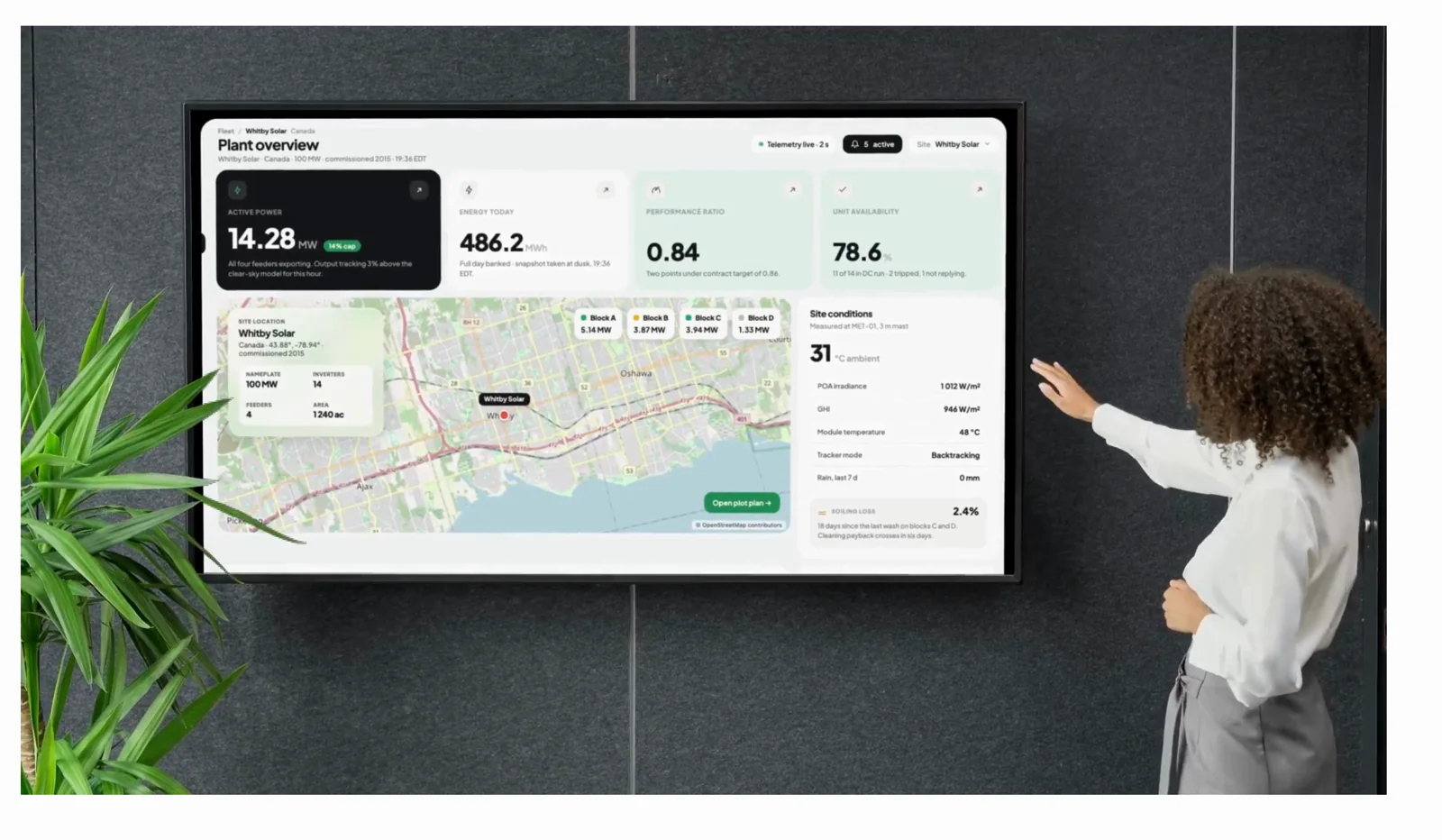
A plant overview on a wall display in an office: active power, energy today, performance ratio and unit availability across the top, the site on a map below it and live site conditions beside it, with someone reaching up to the screen
02Maintenance & dispatch

Most of the cost is in the response.

42Hz ranks the cases, phones the on-call until someone owns it, and sends the truck with the right part.
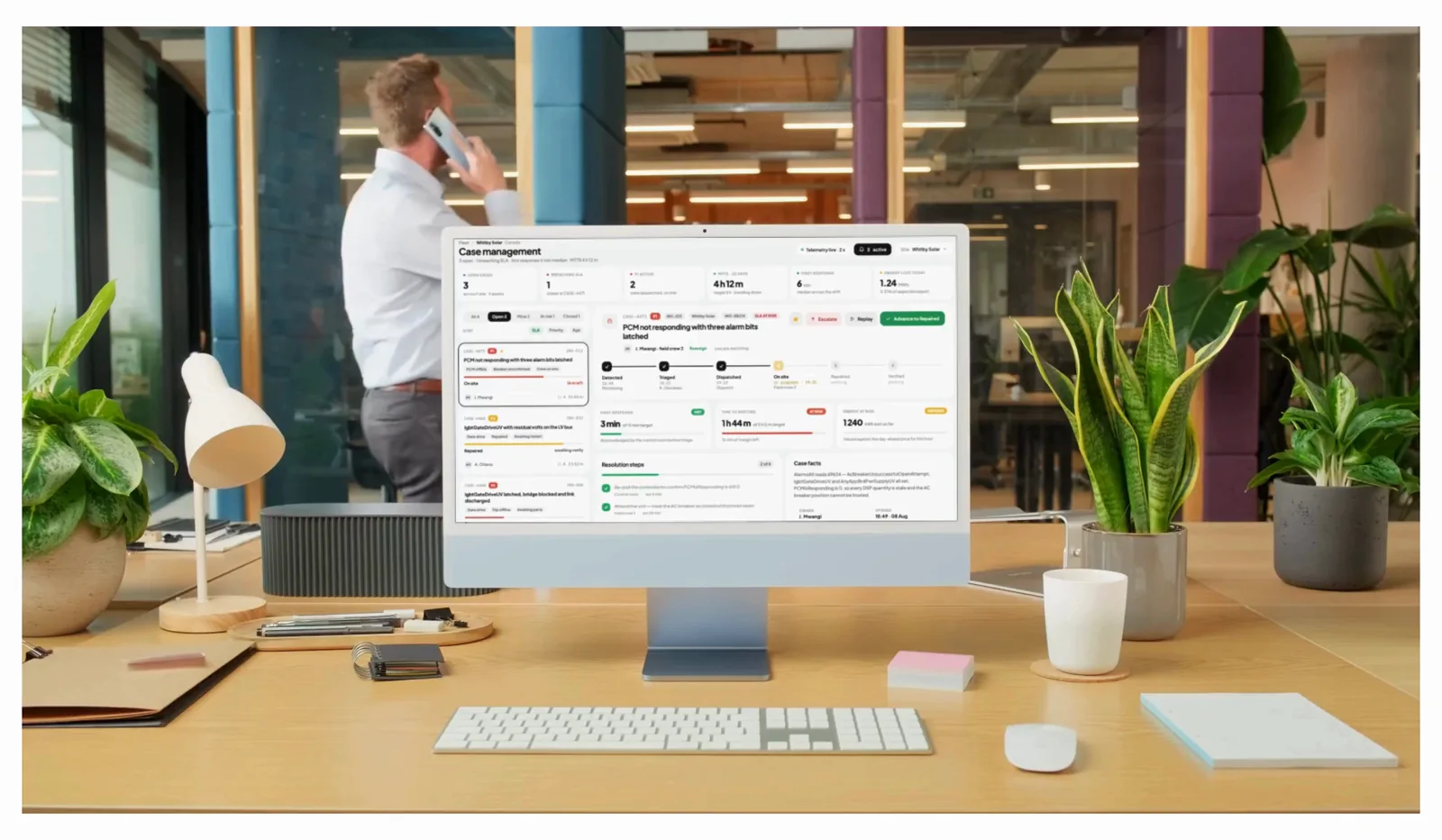
Case management open on a desktop in an office: three open cases on the left, one of them expanded through detected, triaged, dispatched and on site, with response and restore clocks against their targets, while someone takes a call in the background
03Portfolio & cost

Every case has a price.

Penalty clocks run on screen, so month-end holds no surprises. Underperformance shows early enough to fix. Asset value comes from operating history, and well-kept equipment lasts longer.
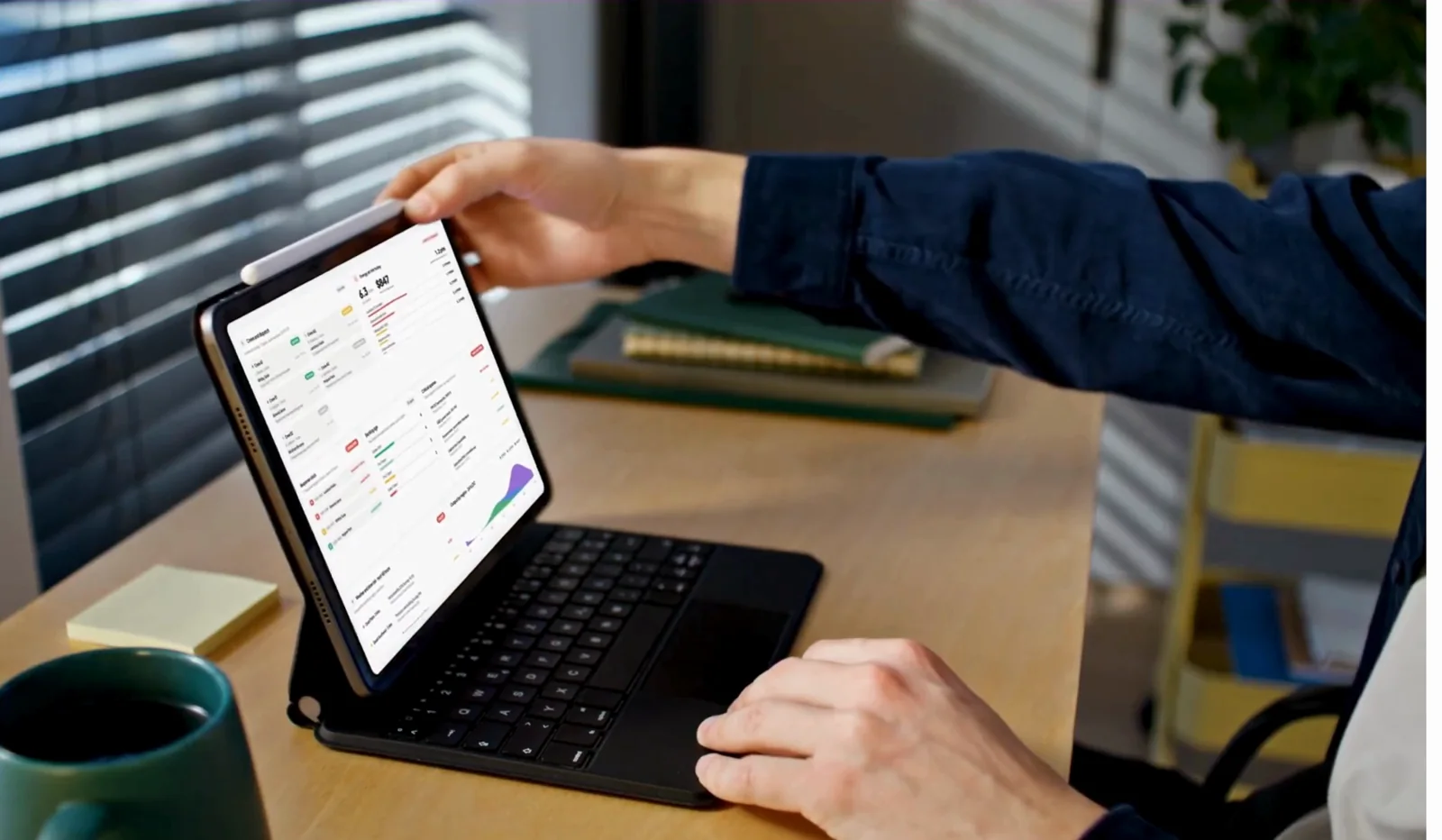
The operations screen on a tablet at a desk, showing today's energy at risk priced in megawatt-hours and revenue, the crews out, and the response clock against its targets

For the technician

Plain English at the cabinet door.

A technician at a cabinet should not be decoding registers. 42Hz answers in plain English, on a desktop or a phone.

Troubleshooting
“What was the oil temperature trend on Transformer 1 during the last three load peaks?”
Triage
“Which three assets in the Southern District show setpoint drift this week?”
Verification
“Show me every breaker cycle count above 85 percent of rated life.”
read per site
6
sources
relays, panels, RTUs, historians, meters, inverter and battery management system APIs
writes to your equipment
0
it reads and nothing else, in either deployment mode
from signing
90
days
to every site online and being watched
watched
24/7
without hiring anyone to sit in front of a screen

From a single-line drawing to monitored sites in 90 days.

Your first stations are online in weeks, on equipment that is already there.

A substation single-line drawing unrolled on a worktable beside a closed laptop
  1. 01

    Tell us what you run

    A drawing, a points list, or a photo of the panel door. We come back with what we can read at your sites, point by point, before anything is signed.

  2. 02

    First sites come online

    We use your network where you grant access, and a pre-configured cellular kit where you do not.

  3. 03

    The baseline fills in

    With a historian we start from your history. Without one, 42Hz keeps its own from day one, and useful signal appears in weeks.
Security architecture

It reads. It never writes.

Projects stall when software wants inbound access or touches control loops. 42Hz does neither. It does not write to your equipment and has no way to.

All traffic is encrypted and outbound, through a connection your security team owns. No listening ports. No remote control. No setting that enables writes.

For utilities, deployment sits within your existing CIP program.

“All connections with the OT environment should be initiated as outbound connections from within the OT environment.”
UK NCSC, Secure connectivity principles for Operational Technology, Principle 2. Issued with ACSC, the Canadian Center for Cyber Security, CISA, the FBI, BSI, NCSC-NL and NCSC-NZ.
  • Outbound-only, encrypted
  • No inbound control channel
  • No open listening ports
  • No write path, at any permission level
Read the full security model